
LinkPoint Blade vs. Revenue Grid
Built for Salesforce admins who need clear control over Outlook activity, LinkPoint Blade replaces automation guesswork with real-time Salesforce access.
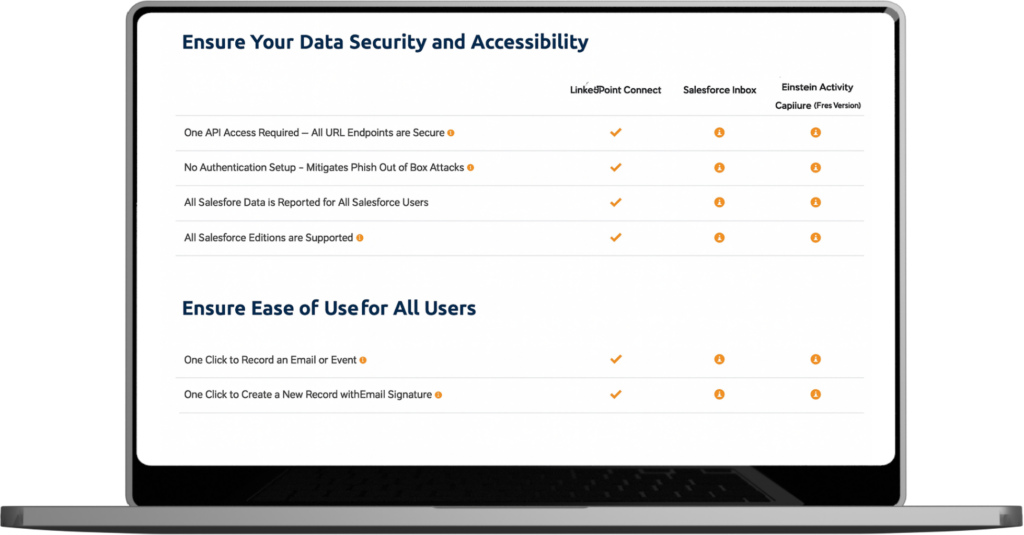
Compare LinkPoint Blade to Revenue Grid
Compare how each platform handles Outlook activity, Salesforce data accuracy, and ongoing admin oversight when evaluating Revenue Grid competitors.
| LinkPoint Blade | Revenue Grid | |
|---|---|---|
| Real-Time Email Logging | ||
| Full Outlook Sidebar Integration | ||
| Create/Edit Salesforce Records | ||
| User-Controlled Sync & Visibility | ||
| No Server Access Required | ||
| Flat-Rate, All-Inclusive Pricing | ||
| Fast, Low-Friction Deployment | ||
| SOC 2 Type II Compliant | ||
| High User Adoption Rate | ||
| One-Click Contact Creation | ||
| No Additional Sales Enablement Platform Required | ||
| Configurable Auto Activity Capture |
Differences Between LinkPoint Blade and Revenue Grid
LinkPoint Blade takes a different approach from Revenue Grid by keeping admins in control of Salesforce activity. Privacy, access, pricing, and visibility remain clear without consistent rule management or automation cleanup.
Greater Privacy and Security
Keep sensitive communication out of external systems. LinkPoint Blade eliminates the need for data storage and server-side processing, helping organizations maintain strong privacy practices with minimal oversight.
Direct Salesforce Access
Complete Salesforce tasks directly inside Outlook with immediate context. Users create, update, and review records without waiting for automation rules or background processes to run.
Simpler User Experience
Use an interface that feels familiar from day one. LinkPoint Blade follows natural Outlook workflows, shortening adoption time and reducing admin support effort.
Transparent, Predictable Pricing
Plan costs and budget with confidence. Our email integration solution includes full functionality under a single license and avoids higher costs as usage grows.
Real-Time Control Over Logging
Choose what information enters Salesforce and confirm accuracy before saving. This way, you can easily remove the doubt tied to automated capture.
See How LinkPoint Blade Stacks Up
Compare LinkPoint Blade with other Outlook-to-Salesforce email integration tools to understand the meaningful differences in control, reliability, and daily usability.
Cirrus Insight
Avoid sync instability and limited logging visibility that many Cirrus Insight users report when working in Outlook.
Match My Email
Replace delayed background sync with real-time Salesforce access using our Outlook-to-Salesforce solution.
Riva CRM
Eliminate server setup and sync delays commonly found in Riva CRM. Gain visibility into which activities and records enter Salesforce.
Built for Many Industries
LinkPoint Blade supports secure logging, reliable visibility, and consistent Salesforce activity capture across regulated and process-driven industries.

Financial Services
Meet compliance expectations with no added infrastructure. Teams in banking and wealth management keep communication visible in Salesforce while working directly from Outlook.

Insurance
Log policy communications and client emails securely in Salesforce. Maintain control from Outlook and avoid reliance on background sync or external systems.

Manufacturing
Support account management and service follow-up without workflow disruption. Sales and operations teams stay connected to Salesforce while working in Outlook.

Professional Services
Record client communication with clarity and control. Consultants and legal teams work from Outlook without dependence on platform-specific sync tools.
What Sets LinkPoint Blade Apart
User Friendly
"Our sales teams are clearly more efficient. Everyone takes advantage of recording to get emails into Salesforce, and many also create their follow-up tasks at the same time – finishing two items at once. LinkPoint Connect makes our very complicated CRM system very user friendly. It simplified a complex system and made it easier for users to utilize our CRM to the fullest. "A Game Changer
"There are those rare tools that you find that you actually are thankful for every single workday... Linkpoint Connect is one of those for me. The ease with which I can track my emails, drag contact info into Salesforce to create leads, and generally just keep track of my work is phenomenal...a game changer if you are currently cutting and pasting emails with a separate entry in Salesforce or cutting and pasting contact info from websites or emails to create new leads."Save Time
"This app has saved my life in terms of time management. I can't say enough good things about how much time this saves, and how my management team has better visibility into the activity within the opportunities I am working on at any given time."Revolutionized Our Business
"Linkpoint Connect has revolutionized our business. It is quick, easy to use, effective, efficient and supported by a company that goes beyond the call of duty. Bottom line is that each and every customer - large or small - is treated like they are a Fortune 500 company. "My First Recommendation
"As a consultant, I get asked all the time for best tools/best practices around emails and Salesforce. This is consistently my first recommendation. I love the fact that you can add contacts/leads by dragging and dropping signatures and add cases easily. It's easy to use and the support has been terrific. I highly recommend the tool and suggest it for anyone needing to streamline their workflow. "Extremely Easy Implementation
"Salesforce implementations, even for Salesforce supported products, can be complicated and affect a number of components. This implementation was extremely easy,” said Hyla. “We were up and running within a few weeks of my initial outreach and had resources available to us throughout the transition. "Frequently Asked Questions About CRM Email Integration
How does LinkPoint Blade handle data privacy compared to Revenue Grid?
LinkPoint Blade, a Revenue Grid alternative, avoids stored email and calendar data and does not require server-side access. Salesforce activity stays within Outlook and Salesforce, giving admins clear oversight and reducing exposure to automation-based sync models used by Revenue Grid.
What kind of Salesforce access does LinkPoint Blade provide?
With Salesforce inside Outlook, users can view records, update data, log activity, and complete tasks without delay. Teams work with full context in each interaction, rather than relying on predefined automation paths or waiting for background sync to complete.
Why do users find LinkPoint Blade easy to deploy?
LinkPoint Blade installs as a standard Outlook add-in without servers or backend infrastructure. Admins avoid complex configuration, and users get up to speed quickly with familiar workflows. This lightweight approach shortens rollout timelines and reduces ongoing maintenance compared to automation platforms that require additional setup and monitoring.
What control do users get over logging compared to Revenue Grid?
Users can choose what to log and where it belongs before the activity enters Salesforce. Emails and events are confirmed in real time, which prevents misplaced records. Revenue Grid relies on automated rules that limit visibility and reduce user confidence in what gets captured.
How does LinkPoint Blade deliver better value than Revenue Grid?
LinkPoint Blade uses a single license with full functionality, simplifying budgeting and lowering long-term costs. Revenue Grid often adds expense through feature tiers and usage thresholds, while our tool supports predictable spend as teams grow.
Ready to Make the Switch?
Explore LinkPoint Blade firsthand and see how control, visibility, and pricing compare against Revenue Grid.