
LinkPoint Blade vs. Riva CRM
Discover the Salesforce-to-Outlook integration that delivers real-time control, stronger data security, and faster deployment without servers or sync delays.
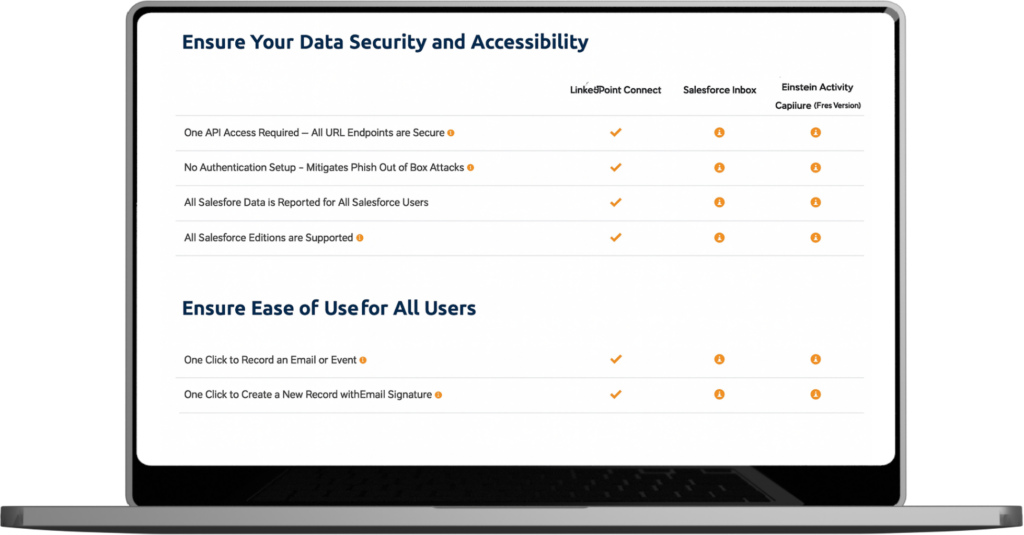
Compare LinkPoint Blade to Riva CRM
LinkPoint Blade is a secure Outlook add-in that embeds Salesforce functionality directly into the inbox. Explore how each solution impacts user adoption, admin oversight, and long-term maintenance, and why teams are switching to LinkPoint Blade.
| LinkPoint Blade | Riva CRM | |
|---|---|---|
| Real-Time Email Logging | ||
| Full Outlook Sidebar Integration | ||
| Create/Edit Salesforce Records | ||
| User-Controlled Sync & Visibility | ||
| No Server Access Required | ||
| Flat-Rate, All-Inclusive Pricing | ||
| Fast, Low-Friction Deployment | ||
| SOC 2 Type II Compliant | ||
| High User Adoption Rate | ||
| One-Click Contact Creation | ||
| No Additional Sales Enablement Platform Required | ||
| Configurable Auto Activity Capture |
Differences Between LinkPoint Blade and Riva CRM
Discover how LinkPoint Blade improves security, enhances Salesforce access, streamlines user activity, and reduces cost for organizations evaluating the platform as a Riva alternative.
Stronger Security and Privacy
Protect sensitive data with a solution that avoids server access and stored data. This structure aligns with SOC 2 Type II expectations and supports regulated teams that need consistency and clear, controlled privacy practices.
More Powerful Salesforce Access
Complete Salesforce tasks directly inside Outlook with immediate context. Users open, update, and add records easily. Riva depends on background sync, which slows activity, limits control, and creates cleanup work that admins must resolve.
Easy User Experience
Rely on an Outlook-native interface that fits naturally into each user’s day. With LinkPoint Blade, teams work confidently. The experience supports familiar habits, reduces onboarding strain, and limits support requests for admins managing adoption.
Clear Pricing
Count on a transparent license that avoids server costs, hidden add-ons, and premium tiers. LinkPoint Blade offers all-inclusive pricing that supports growing teams without rising complexity or shifting platform requirements. Many organizations reduce costs after moving from Riva to LinkPoint Blade.
Better Control and Visibility
Give users clarity before data enters Salesforce. Users select the correct records, confirm accuracy, and prevent blind spots that often occur when background sync decides what to capture without user involvement.
See How LinkPoint Blade Stacks Up
Discover how LinkPoint Blade compares with other integration tools and understand meaningful differences across workflow, administration, and overall control.
Revenue Grid
Compare Revenue Grid’s automation focus with LinkPoint Blade’s precision. LinkPoint Blade offers real control, clear visibility, and an easier experience for teams that value predictable workflows.
Match My Email
Contrast Match My Email’s delayed background sync. With LinkPoint Blade, users gain immediate clarity, choose accurate records, and reduce the uncertainty that often leads to support tickets in automated-only tools.
Cirrus Insight
Compare Cirrus Insight’s inconsistent performance with a dependable Outlook experience. Teams see steadier sync accuracy, faster response, and a setup that avoids mailbox limits and tiered constraints.
Built for Many Industries
Support specialized workflows with a secure integration that fits financial, insurance, manufacturing, and service teams that rely on accurate activity capture, governance, and strict compliance.

Financial Services
Strengthen communication workflows with secure Outlook-to-Salesforce activity capture that aligns with compliance expectations across banking, wealth, and capital markets.

Insurance
Improve operational consistency across personal and commercial lines. Automatically log communication to Salesforce while ensuring full visibility across policy and client activity.

Manufacturing
Empower field, desktop, and mobile teams with reliable Salesforce access inside Outlook. Track partner activity, manage service workflows, and follow opportunities with real-time context.

Professional Services
Gain complete control over how client interactions are recorded. Access and update Salesforce records without leaving Outlook, ensuring capture for every engagement.
What Sets LinkPoint Blade Apart
User Friendly
"Our sales teams are clearly more efficient. Everyone takes advantage of recording to get emails into Salesforce, and many also create their follow-up tasks at the same time – finishing two items at once. LinkPoint Connect makes our very complicated CRM system very user friendly. It simplified a complex system and made it easier for users to utilize our CRM to the fullest. "A Game Changer
"There are those rare tools that you find that you actually are thankful for every single workday... Linkpoint Connect is one of those for me. The ease with which I can track my emails, drag contact info into Salesforce to create leads, and generally just keep track of my work is phenomenal...a game changer if you are currently cutting and pasting emails with a separate entry in Salesforce or cutting and pasting contact info from websites or emails to create new leads."Save Time
"This app has saved my life in terms of time management. I can't say enough good things about how much time this saves, and how my management team has better visibility into the activity within the opportunities I am working on at any given time."Revolutionized Our Business
"Linkpoint Connect has revolutionized our business. It is quick, easy to use, effective, efficient and supported by a company that goes beyond the call of duty. Bottom line is that each and every customer - large or small - is treated like they are a Fortune 500 company. "My First Recommendation
"As a consultant, I get asked all the time for best tools/best practices around emails and Salesforce. This is consistently my first recommendation. I love the fact that you can add contacts/leads by dragging and dropping signatures and add cases easily. It's easy to use and the support has been terrific. I highly recommend the tool and suggest it for anyone needing to streamline their workflow. "Extremely Easy Implementation
"Salesforce implementations, even for Salesforce supported products, can be complicated and affect a number of components. This implementation was extremely easy,” said Hyla. “We were up and running within a few weeks of my initial outreach and had resources available to us throughout the transition. "Frequently Asked Questions About CRM Email Integration
How does LinkPoint Blade keep data more secure than Riva’s server-dependent model?
LinkPoint Blade avoids stored information, server access, and outside handling of communications. This structure limits exposure, supports SOC 2 Type II expectations, and protects sensitive data for teams that require control across regulated environments while reducing oversight burdens for admins.
What Salesforce functions does LinkPoint Blade provide that Riva’s background sync cannot support?
LinkPoint Blade, one of Riva’s competitors, brings full Salesforce access into Outlook. The tool allows users to create, view, and update records in real time. Sales and service teams can take action immediately, such as logging activity, launching workflows, or adjusting opportunity details, without waiting for a sync cycle or switching applications. Riva’s passive approach delays access and limits what users can do in the moment.
How quickly can our team deploy LinkPoint Blade without the server setup that Riva requires?
LinkPoint Blade installs without servers or complex infrastructure, so IT teams avoid lengthy preparation. Most organizations move quickly from evaluation to full deployment. The setup fits existing Outlook environments and eliminates the delays that often occur when a platform relies on separate server components.
How does LinkPoint Blade deliver lower total cost than Riva’s enterprise-level pricing?
LinkPoint Blade uses a single license, eliminating server costs, platform fees, and tiered pricing. Riva often introduces extra expenses for infrastructure and feature access. LinkPoint Blade simplifies budgeting and reduces long-term costs for organizations that expect predictable spending as teams grow.
Ready to Make the Switch?
Move forward with an integration solution that strengthens control, supports secure workflows, and aligns with how your teams operate today.