
Troubleshooting AutoSync Failures

Verifying Salesforce and Microsoft Connections and Resetting Autosync

Click the images throughout the Knowledge Base to see full size versions of screen captures.

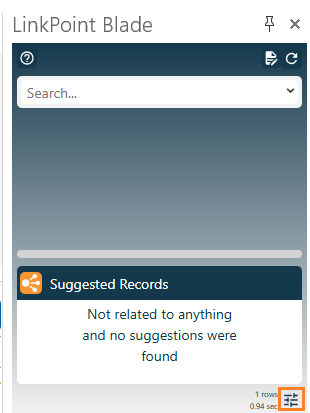
Click the Preferences icon in the bottom-right corner of the Side Panel to launch the Preferences Pane.
Verify Connections.
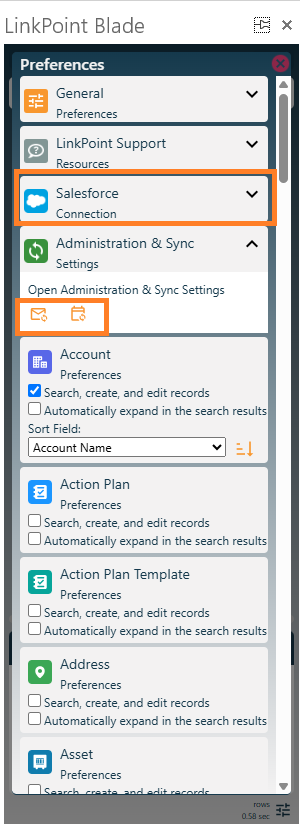
·         Under Salesforce Connection, verify the connection and authenticate if needed.

·         If a Microsoft section exists, expand it and verify the connection.

·         To restart synchronization, click the Email sync and Calendar sync icons under Administration & Sync Settings.

Still need help? Contact our Support Team